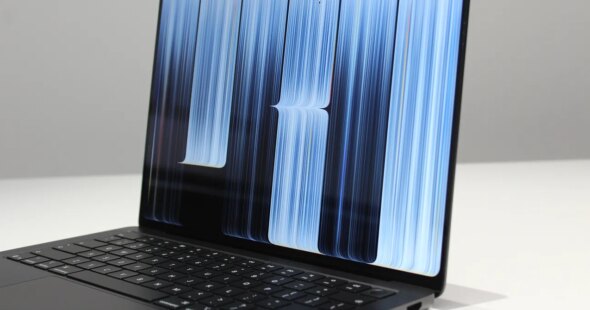
The MacBook Pro OLED screen introduces significant display enhancements, featuring a 2,000-nit brightness level designed to combat glare and reflections common in conventional laptops.
While deep blacks on standard OLED screens often create harsher reflections that resemble mirrors, the high brightness on the new Apple laptop helps overpower these issues. Additionally, Apple utilizes an anti-reflective coating, which the source describes as the very best seen.
For users seeking the ultimate solution against reflections, an optional nano-texture display is available as an upgrade on both the 14-inch and 16-inch models. This configuration etches the anti-reflective pattern directly into the screen rather than layering it on top.
Touch Interaction And iPadOS Optimizations
Another major innovation on the MacBook Pro is the introduction of touch, moving past the previous Touch Bar from 2016. Interacting with elements on the display feels as fluid as an iPad, supporting familiar trackpad gestures like pinch to zoom and three-fingered swipes to switch Spaces.
Several natural touch optimizations have been adopted directly from iPadOS. Tapping window controls in the top left zooms them in for precise selection, and users can grab a window to flick it into Split View. Another feature allows users to tap, hold, and slide down to select items within the Menu Bar.
However, software limitations remain regarding third-party applications. While touch-to-click works automatically across apps, advanced optimizations depend entirely on developers. Applications such as the 3D modeling program ZBrush showed only partial touch support without the advanced menu optimizations found in Apple first-party apps. Furthermore, the screen does not support the Apple Pencil, and the hardware ergonomics remain unchanged for touch usage.
Industry Impact Of The MacBook Pro OLED Screen
Apple continues to focus on high-end hardware with the 2026 MacBook Pro. Although further testing is required, the advanced OLED display establishes a benchmark that other manufacturers are expected to pursue in the coming years.
Frequently Asked Questions
What improvements does the MacBook Pro OLED screen offer against glare?
The MacBook Pro OLED screen combats glare through a high brightness level of 2,000 nits that overpowers reflections, combined with a state-of-the-art anti-reflective coating. Users can also select an optional nano-texture display upgrade on 14-inch and 16-inch models for an etched anti-reflective pattern.
Does the 2026 MacBook Pro support touch interaction?
Yes, the 2026 MacBook Pro introduces touch interaction that supports fluid gestures and iPadOS-inspired optimizations, such as zooming window controls and flicking windows into Split View. However, it does not support the Apple Pencil, and third-party app optimizations rely on individual developers.
Stay Updated with the Latest News and Current Affairs
Discover more from Current Affairs World
Subscribe to get the latest posts sent to your email.